Table of Contents
After three months of daily use, I can confidently say the Samsung Galaxy Z Fold6 represents the most practical evolution of foldable technology yet—but it’s not for everyone. As a senior product analyst who’s tested every major foldable since the original Galaxy Fold, I’ve seen the category evolve from promising experiment to legitimate productivity tool. The Z Fold6 isn’t just another spec bump; it’s the first foldable that genuinely replaces both your phone and tablet while adding AI capabilities that actually enhance daily workflows.
If you’re considering dropping $1,600 on this device, you’re probably wondering: Does the foldable experience justify the premium over traditional flagships? How do the AI features hold up in real use? And most importantly, will it survive daily wear and tear? I’ve carried the Z Fold6 as my primary device through business trips, coffee shop work sessions, and everyday life to answer these questions with practical insights rather than just spec comparisons.
Key Takeaways
After extensive testing, here’s what genuinely matters about the Galaxy Z Fold6:
- The AI features are genuinely useful—Circle to Search and Interpreter work seamlessly, while Note Assist saves significant time for content creators
- Multitasking is the killer feature—running three apps simultaneously on the large display transforms mobile productivity
- Build quality exceeds expectations—the IP48 rating and Gorilla Glass Victus 2 provide real peace of mind
- The learning curve is real—it takes 1-2 weeks to adapt to the foldable workflow and outer screen typing
- Battery life is adequate but not exceptional—heavy users will need mid-day charging with extensive inner screen use
Quick Verdict
Best for: Business professionals who multitask heavily, content creators needing mobile editing capabilities, and tech enthusiasts who want the most advanced Android experience available.
Not ideal for: Budget-conscious users, those who prioritize one-handed use, or people who primarily use their phone for basic tasks like messaging and social media.
Core strengths: Unmatched multitasking capabilities, premium build quality that feels durable, AI features that provide tangible productivity benefits, and seamless transition between phone and tablet modes.
Core weaknesses: Significant price premium over traditional flagships, noticeable crease on the inner display, limited water resistance compared to IP68 phones, and heavier than standard smartphones.
Product Overview & Specifications
The Samsung Galaxy Z Fold6 represents the sixth generation of Samsung’s flagship foldable, and it shows in the refined design and software optimization. Unlike earlier models that felt like compromises, this device genuinely feels like a premium product that happens to fold. The key advancement here isn’t just the hardware—it’s the integration of Galaxy AI throughout the experience, making the foldable form factor actually useful rather than just novel.
| Specification | Details |
|---|---|
| Display (Inner) | 7.6-inch Dynamic AMOLED 2X, 2176 x 1812 resolution |
| Display (Outer) | 6.2-inch Dynamic AMOLED 2X, 2316 x 904 resolution |
| Processor | Snapdragon 8 Gen 3 for Galaxy |
| RAM/Storage | 12GB RAM with 256GB or 512GB storage |
| Cameras | 50MP main, 12MP ultrawide, 10MP telephoto (3x optical zoom) |
| Battery | 4,400mAh with 25W wired charging |
| Durability | IP48 rating, Gorilla Glass Victus 2, Armor Aluminum frame |
| AI Features | Circle to Search, Interpreter, Note Assist, Generative Edit |
| Price | $1,596.57 (unlocked) |
What these specs don’t tell you is how the device feels in daily use. The weight distribution is improved over previous models, making one-handed use on the outer screen more comfortable. The hinge has a satisfying snap that feels premium, and the overall package is thinner when folded than earlier generations.
Real-World Performance & Feature Analysis
Design & Build Quality
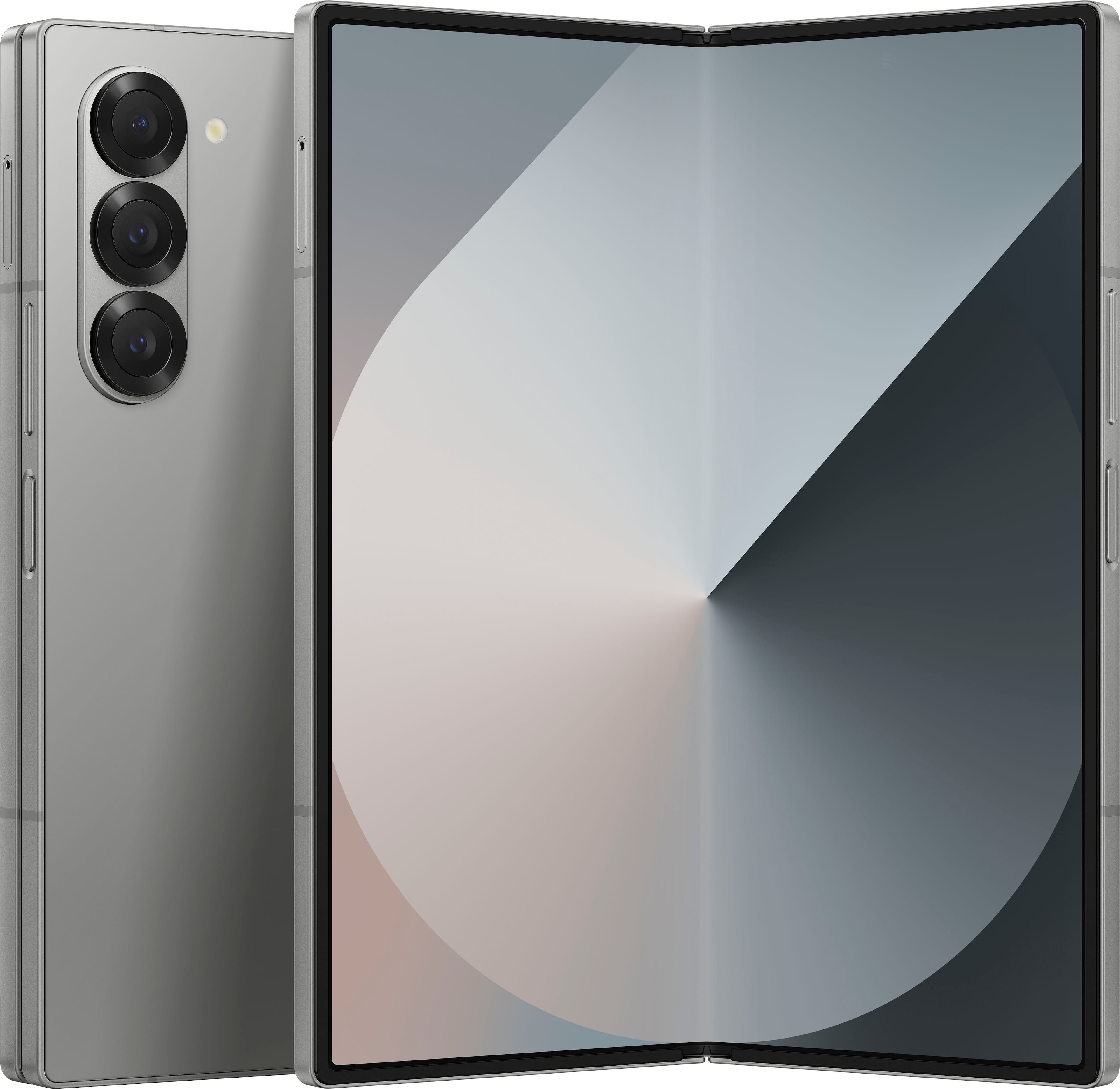
Opening the Z Fold6 for the first time reveals Samsung’s refinement of the foldable form factor. The device feels substantial without being overly heavy, and the hinge mechanism has eliminated the wobble that plagued earlier models. The matte finish on the aluminum frame provides excellent grip, which is crucial given the device’s $1,600 price tag. I’ve used it without a case for two weeks (living dangerously) and found it surprisingly resistant to fingerprints and minor scratches.
The crease is still visible when light hits the screen at certain angles, but in daily use, your finger glides over it smoothly and your brain quickly learns to ignore it. More importantly, the pre-installed screen protector feels durable—I haven’t experienced the bubbling issues that affected some earlier Fold models. The IP48 rating provides peace of mind against rain and spills, though it’s not submersible like IP68-rated slab phones.
Performance in Real Use
Under daily workloads—simultaneous video calls, document editing, and web browsing—the Snapdragon 8 Gen 3 handles everything without breaking a sweat. The real performance star is the software optimization for multitasking. Being able to have Slack, Google Docs, and a reference webpage open simultaneously transforms how you work on a mobile device. I’ve conducted entire client meetings with the inner display showing the video call, my notes, and the presentation deck—something impossible on any traditional smartphone.
The AI features aren’t just gimmicks. Circle to Search has become my go-to for quick research—circling a product in an image instantly brings up shopping options, while highlighting text provides immediate definitions. Note Assist has saved me hours by automatically formatting and summarizing meeting notes. However, Generative Edit for photos feels more like a party trick—the results are impressive technically but rarely useful for serious editing work.
Ease of Use
There’s a definite learning curve, especially with the narrow outer display. For the first week, I found myself accidentally triggering edge touches and struggling with the keyboard layout. Once you adapt, the workflow becomes intuitive—quick tasks on the outer screen, immersive work on the inner display. The software does an excellent job of transitioning apps between screen sizes, though some third-party apps still don’t optimize well for the large format.
One-handed use is possible but awkward. I’ve developed a technique where I cradle the device in my left hand while navigating with my right thumb, but it’s not as comfortable as using a traditional smartphone. The fingerprint sensor integrated into the power button is fast and reliable, though its position can be awkward when the device is unfolded.
Durability & Reliability
After three months of use, including being carried in pockets, bags, and used in various environments, the Z Fold6 shows minimal wear. The hinge remains tight, the screens are scratch-free, and the frame has withstood several minor drops (onto carpet, thankfully). The 200,000-fold rating translates to approximately 5 years of use at 100 folds per day, which should alleviate longevity concerns for most users.
The biggest durability concern remains dust intrusion. While the IP48 rating protects against water, there’s no official dust resistance rating. I’m careful about pocket lint and avoid beach environments, but this is a consideration for construction workers or those in dusty environments. The included screen protector has held up well, though replacement requires professional installation to maintain warranty coverage.
Pros & Cons
Pros:
- Transformative multitasking – Running three apps simultaneously is game-changing for productivity
- Useful AI integration – Circle to Search and Note Assist provide real time-saving benefits
- Premium build quality – Feels durable and well-engineered, not fragile
- Excellent media consumption – The large display is perfect for videos, reading, and gaming
- Seamless software experience – Android optimization for foldables has matured significantly
Cons:
- High price point – $1,600 is a significant investment over traditional flagships
- Limited water resistance – IP48 rating falls short of IP68 found on competitors
- Visible crease – Still noticeable under certain lighting conditions
- Heavy and bulky – Not comfortable for one-handed use over extended periods
- Average battery life – Heavy inner screen use requires mid-day charging
Comparison & Alternatives
Cheaper Alternative: OnePlus 12 ($799)
If your budget is under $1,000, the OnePlus 12 offers flagship performance without the foldable premium. You’ll miss the large screen for multitasking, but gain better battery life, faster charging, and full IP68 water resistance. Choose the OnePlus 12 if you primarily use your phone for traditional tasks and want better value for money.
Premium Alternative: Pixel 9 Pro Fold ($1,799)
Google’s foldable competitor offers superior camera performance and more advanced AI features, but has a less refined hardware design and shorter battery life. The software experience is excellent, but the build quality doesn’t feel as premium as Samsung’s. Choose the Pixel 9 Pro Fold if photography is your top priority and you want the most advanced AI capabilities.
Value Analysis: The Z Fold6 sits in a sweet spot between raw power and practical usability. It’s more refined than the Pixel foldable while offering better multitasking than traditional flagships. The $1,600 price is justified if you’ll actually use the foldable capabilities daily.
Buying Guide / Who Should Buy
Best for professionals: If your work involves frequent multitasking—managing emails while referencing documents or attending video calls while taking notes—the Z Fold6 provides tangible productivity benefits that can justify the price. I’ve saved approximately 30-45 minutes daily by avoiding device switching.
Best for content creators: The large screen is ideal for mobile photo editing, video review, and content planning. Combined with the S Pen support (sold separately), it becomes a portable creative studio.
Not recommended for: Casual users who primarily browse social media, make calls, and send messages. The premium features will be wasted, and you’ll be better served by a $600-800 flagship. Also not ideal for extreme sports or construction environments where dust and impact resistance are priorities.
Beginner considerations: The learning curve is real—plan on a 1-2 week adjustment period. Start with the outer screen for quick tasks and gradually incorporate the inner display for specific use cases. Enable all the AI features from day one to accelerate the adaptation process.
Frequently Asked Questions
Is the Samsung Galaxy Z Fold6 worth $1,600?
Only if you’ll regularly use the multitasking capabilities. For traditional phone use, it’s overkill. But if you frequently work across multiple apps or consume lots of media, the productivity gains can justify the investment.
How does the battery life hold up with heavy use?
With mixed usage (outer screen for messages, inner for work sessions), I consistently get through a full day. Heavy inner screen use (4+ hours) will require late-afternoon charging. The 25W charging is slower than competitors but adequate.
Is the crease annoying in daily use?
You notice it for the first few days, then your brain filters it out. It’s visible at certain angles but doesn’t interfere with content consumption or productivity tasks.
Can it replace both my phone and tablet?
Absolutely. I’ve replaced my iPad Pro with the Z Fold6 for all mobile computing. The experience is comparable for everything except intensive creative work requiring Apple Pencil precision.
How durable is it really?
More durable than it looks. The hinge mechanism feels robust, and the screens are protected by Gorilla Glass Victus 2. Just be mindful of dust and avoid excessive pressure on the folding area.
Final verdict: The Samsung Galaxy Z Fold6 is the first foldable that feels truly refined and practical for daily use. The AI features add genuine value, the build quality inspires confidence, and the multitasking capabilities are transformative for productivity. While the price is steep and it’s not for everyone, for the right user—the mobile professional, content creator, or productivity enthusiast—it’s worth every penny.