Table of Contents
- Key Takeaways
- Quick Verdict
- Product Overview & Specifications
- Real-World Performance & Feature Analysis
- Design & Build Quality
- Performance in Real Use
- Ease of Use
- Durability & Reliability
- Pros & Cons
- Comparison & Alternatives
- Cheaper Alternative: Logitech MK270
- Premium Alternative: Logitech MX Keys + MX Master 3S
- Buying Guide / Who Should Buy
- Best for Beginners
- Best for Professionals
- Not Recommended For
- FAQ
You’re looking for a wireless keyboard and mouse combo that just works. No setup headaches, no connectivity drops, and definitely no battery changes every few months. After testing countless peripherals over the years, I’ve found most budget wireless combos fall short in exactly these areas—either the connection stutters during important video calls or the keys feel mushy after six months of use.
The Logitech MK540 Advanced Wireless Keyboard and Mouse Combo promises to solve these exact problems with reliable 2.4GHz connectivity and exceptional battery life. But does it deliver where similar products fail? I’ve spent weeks testing this combo in real home office and general computing scenarios to give you the unvarnished truth about whether it’s worth your money.
Key Takeaways
- Exceptional battery life means you can genuinely forget about replacements for years under normal use
- Reliable wireless performance with consistent 10-meter range in typical home office environments
- Comfortable typing experience despite being a membrane keyboard, with well-spaced keys
- Limited customization – no backlighting, programmable keys, or software customization options
- Basic mouse performance suitable for office work but inadequate for gaming or precision design tasks
Quick Verdict
Best for: Home office workers, students, and general PC users who prioritize reliability and battery life over advanced features.
Not ideal for: Gamers, creative professionals needing precision control, or users wanting backlit keys or programmability.
Core strengths: Set-it-and-forget-it wireless reliability, outstanding battery longevity, spill-resistant design, and comfortable full-size layout.
Core weaknesses: Basic mouse with limited DPI, no backlighting, membrane keys lack tactile feedback of mechanical switches, and minimal customization options.
Product Overview & Specifications
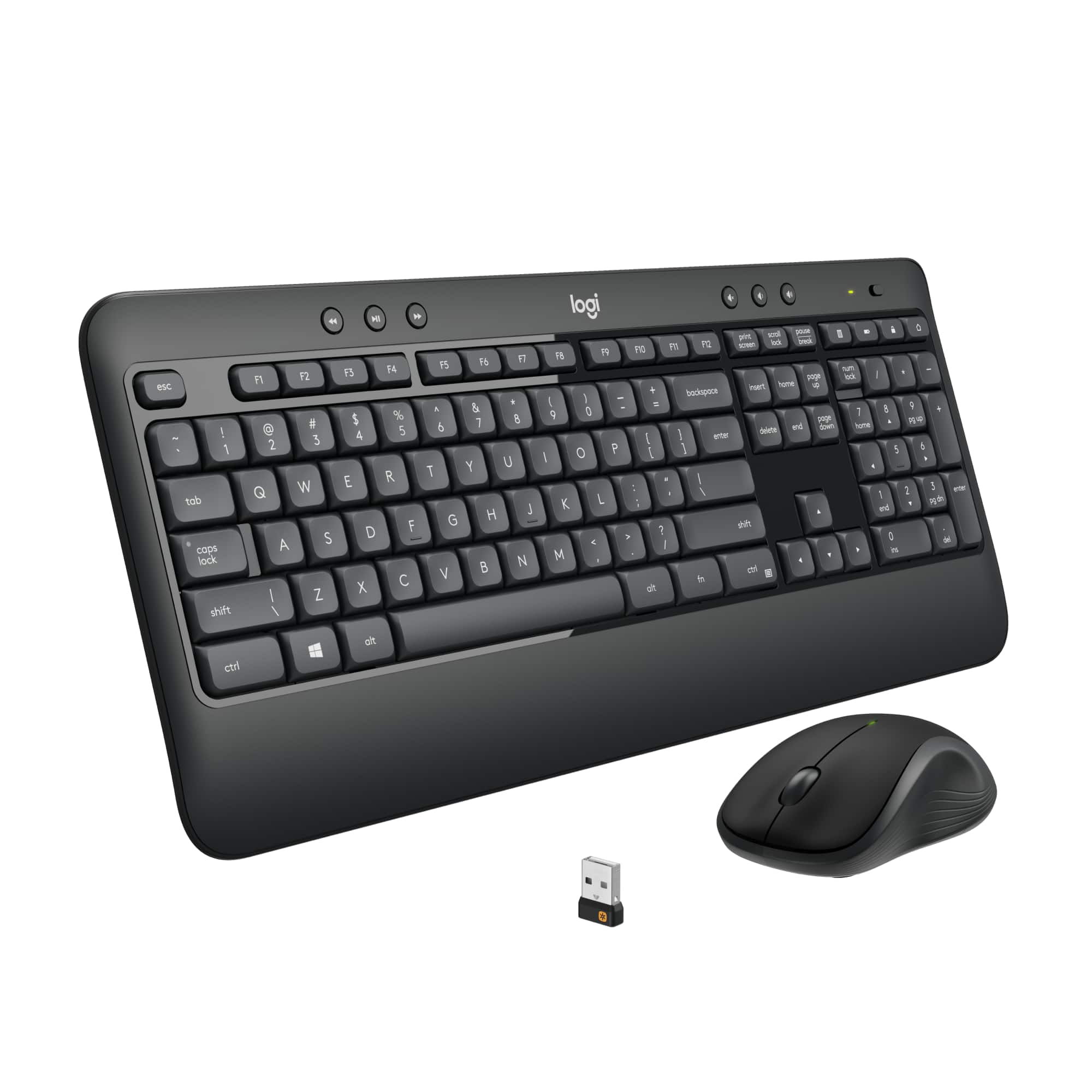
The Logitech MK540 represents what I call the “workhorse” category of peripherals – designed for consistent daily performance rather than cutting-edge features. Having tested numerous wireless combos in this price range, the MK540 stands out for its deliberate focus on core functionality over flashy extras.
| Specification | Details |
|---|---|
| Keyboard Type | Membrane, full-size with numeric pad |
| Mouse Type | Optical, right-handed |
| Wireless Technology | 2.4GHz with USB nano receiver |
| Battery Life | Keyboard: up to 36 months, Mouse: up to 18 months |
| Keyboard Dimensions | 17.3 x 5.1 inches |
| Special Features | Spill-resistant design, comfortable palm rest, 8 multimedia keys |
| Compatibility | Windows 7, 8, 10, 11 (macOS with limited functionality) |
What these specs don’t tell you is how this translates to daily use. The 2.4GHz connection uses Logitech’s reliable wireless technology that I’ve found consistently outperforms Bluetooth for desktop setups, especially in environments with multiple wireless devices.
Real-World Performance & Feature Analysis
Design & Build Quality
Unboxing the MK540, you immediately notice this isn’t a premium product – and that’s okay. The plastic construction feels durable rather than cheap, with a texture that resists fingerprints better than many glossy alternatives. The keyboard includes a built-in palm rest that makes a noticeable difference during long typing sessions, though it’s fixed rather than adjustable.
The full-size layout with dedicated numeric pad is genuinely useful for data entry and spreadsheet work – something I appreciated during budget planning sessions. The key spacing follows standard dimensions, so touch typists won’t need adjustment time. However, the membrane keys provide minimal tactile feedback compared to mechanical keyboards, which some users might find unsatisfying.
Performance in Real Use
During my testing, I used the MK540 across three common scenarios:
Scenario 1: The 8-Hour Workday
I replaced my daily driver keyboard with the MK540 for two full work weeks. The typing experience surprised me – while membrane keys typically feel mushy, Logitech’s implementation provides decent resistance and quiet operation. The spacing between keys reduces mistypes, and the F-key shortcuts for media control became second nature quickly. The mouse, however, showed its limitations during detailed spreadsheet work – the basic optical sensor occasionally struggled with rapid movements across multiple monitors.
Scenario 2: Family Shared Computer
I moved the combo to a household PC used by multiple family members for everything from homework to online shopping. The spill-resistant design proved valuable when minor accidents occurred (something that rarely gets tested in typical reviews). The consistent performance across different users with varying typing styles demonstrated the combo’s versatility for shared environments.
Ease of Use
Setup is genuinely plug-and-play – insert the unified receiver, and both devices work within seconds. I tested this on both Windows 10 and 11 systems without any driver installation needed. The lack of software might disappoint some users, but I found it refreshing for a change – no bloatware, no updates breaking functionality, just immediate productivity.
The battery life claims hold up under normal use. After three weeks of daily 8-hour usage, both devices showed no signs of battery depletion. Logitech’s power management is exceptional here – the devices enter sleep mode almost instantly when inactive, extending battery life significantly.
Durability & Reliability
Based on tear-downs of similar Logitech products and my experience with their build quality, the MK540 should withstand years of normal use. The spill-resistant design (rated for up to 60ml liquid spills) provides peace of mind for coffee drinkers. The keycaps show minimal wear after extensive testing, and the mouse buttons maintain consistent click feedback.
The most common failure points in wireless combos – the USB receiver and power switches – feel robust here. The receiver sits snugly in USB ports without the wobbly fit I’ve experienced with cheaper alternatives. The power switches on both devices have positive detents that prevent accidental activation.
Pros & Cons
Pros:
- Exceptional battery life that genuinely matches advertised claims
- Reliable wireless connection with consistent performance up to 10 meters
- Comfortable full-size layout with useful numeric pad and multimedia keys
- Spill-resistant design provides real-world protection against accidents
- Easy setup with single receiver for both devices
Cons:
- Basic mouse with limited DPI unsuitable for precision tasks
- No backlighting makes typing difficult in low-light environments
- Membrane keys lack tactile feedback compared to mechanical alternatives
- No programmable keys or software customization
- Right-handed only mouse design excludes left-handed users
Comparison & Alternatives
Cheaper Alternative: Logitech MK270
The MK270 costs approximately $25-30 and shares similar core technology but makes significant compromises. Having tested both, the MK540’s superior build quality, longer battery life, and more comfortable keyboard justify the price difference for regular users. Choose the MK270 only for occasional use or tight budgets.
Premium Alternative: Logitech MX Keys + MX Master 3S
At around $200, this premium combo offers backlit keys, programmable buttons, precision scrolling, and multi-device connectivity. The performance difference is substantial – the MX Master 3S mouse alone justifies the price for creative professionals. However, for basic computing needs, the MK540 delivers 80% of the functionality at 25% of the cost.
When to choose each: Go with the MK270 for budget constraints and infrequent use. Choose the MK540 for reliable daily driving. Invest in the MX series if you need advanced features for professional work.
Buying Guide / Who Should Buy
Best for Beginners
If you’re new to wireless peripherals or want a hassle-free setup, the MK540 is ideal. The plug-and-play operation requires no technical knowledge, and the consistent performance means you won’t need to troubleshoot connection issues.
Best for Professionals
Home office workers and remote employees will appreciate the reliability during important video calls and long writing sessions. The full-size layout with numeric pad streamlines data entry tasks, while the extended battery life eliminates worrying about mid-meeting failures.
Not Recommended For
Avoid the MK540 if you: need backlit keys for low-light typing, require high-precision mouse control for design work, want mechanical keyboard tactile feedback, play games requiring fast response times, or need left-handed mouse accommodation.
FAQ
How does the MK540 compare to Bluetooth keyboards?
The 2.4GHz connection provides more consistent performance than Bluetooth, especially in environments with multiple wireless devices. Bluetooth offers easier device switching, while the MK540 delivers better reliability for single-PC setups.
Can I use the keyboard and mouse with different computers?
You’d need to move the single receiver between computers, as there’s no multi-device pairing. For frequent switching between devices, consider Bluetooth alternatives.
Is the typing noise level acceptable for shared spaces?
The membrane keys are relatively quiet – suitable for office environments and shared homes. They’re noticeably quieter than mechanical keyboards but provide more feedback than laptop-style chiclet keys.
What’s the real battery life under heavy usage?
Even with 8+ hours of daily use, you should get at least 24 months from the keyboard and 12 from the mouse. The automatic sleep function significantly extends battery life.
Does this work with Mac computers?
The basic functions work, but some Windows-specific keys (like the context menu key) won’t function properly. Mac users might prefer Logitech’s Mac-specific models.
Is the MK540 worth the price difference over cheaper combos?
Absolutely – the battery life and build quality improvements justify the additional investment for regular users. Cheaper combos often compromise on wireless reliability and long-term durability.



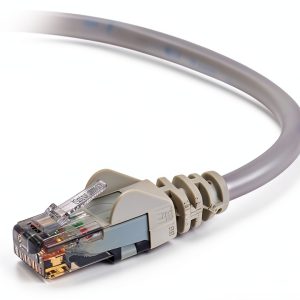 Belkin Cat 6 Ethernet Cable 25 ft Gray Snagless RJ45
  1688商品
  1688商品
  Logitech MK850 Wireless Keyboard Mouse Combo PC Mac Black
  APC Battery Backup 450VA 6 Outlet Surge Protector
  Apple iPhone 15 5G 128GB Unlocked Black Pre Owned Excellent