Table of Contents
You’re standing in front of a room full of decision-makers, clicking through your carefully crafted slides, when suddenly your presentation remote stutters. The laser pointer flickers, the next slide button requires multiple presses, and you’re suddenly anchored to your laptop, losing the connection with your audience. I’ve been there, and it’s why finding the right presentation tool matters more than most people realize.
The Logitech R500s promises to solve these problems with professional-grade reliability, extended range, and smart features. But does it deliver in real-world scenarios where your reputation is on the line? After extensive testing in boardrooms, classrooms, and conference halls, I’m breaking down exactly what this remote can and cannot do for presenters at every level.
Key Takeaways
- The R500s delivers exceptional reliability with both USB receiver and Bluetooth connectivity, eliminating the dropouts that plague cheaper remotes
- Battery life genuinely lasts months of regular use, but the non-rechargeable design feels dated compared to USB-C alternatives
- Customization through the Logitech Presentation App transforms basic buttons into powerful presentation tools for advanced users
- The 20-meter range holds true even in crowded wireless environments, making it ideal for larger rooms and auditoriums
- Build quality justifies the premium price for frequent presenters, but casual users might find better value elsewhere
Quick Verdict
Best for: Professionals who present regularly in medium to large rooms, educators in lecture halls, corporate trainers, and anyone who values reliability over cutting-edge features.
Not ideal for: Casual presenters in small meeting rooms, users who prefer USB-C charging, presenters needing advanced features like slide thumbnails or touchpad control.
Core strengths: Rock-solid connectivity, exceptional battery optimization, comfortable ergonomic design, and professional-grade build quality that withstands travel and daily use.
Core weaknesses: Non-rechargeable battery, limited button customization without the app, laser automatically disables when battery is low rather than just dimming.
Product Overview & Specifications
The Logitech R500s sits in the sweet spot between basic presentation remotes and high-end professional models. It’s designed for presenters who need reliable performance without the complexity or cost of enterprise-grade solutions. What makes it stand out isn’t any single revolutionary feature, but rather how consistently it performs across different environments and presentation scenarios.
| Specification | Details |
|---|---|
| Connectivity | USB receiver + Bluetooth Low Energy |
| Compatibility | Windows, Mac, iOS, Android, PowerPoint, Keynote, Google Slides, Prezi, PDF |
| Range | Up to 20 meters (65 feet) |
| Battery | Single AAA battery (up to 12 months) |
| Laser | Red laser pointer |
| Buttons | Slide forward/back, laser pointer, black screen, timer start/stop |
| Special Features | Logitech Presentation App customization, battery status monitoring, carbon neutral certified |
| Warranty | Logitech standard warranty (typically 1-2 years) |
The universal compatibility is particularly valuable in today’s mixed-device environments. I’ve used it seamlessly switching between a MacBook Pro for internal meetings, a Windows laptop for client presentations, and even an iPad for impromptu sessions. The dual connectivity means you’re never stuck – if Bluetooth has issues, the USB receiver provides a bulletproof fallback.
Real-World Performance & Feature Analysis
Design & Build Quality
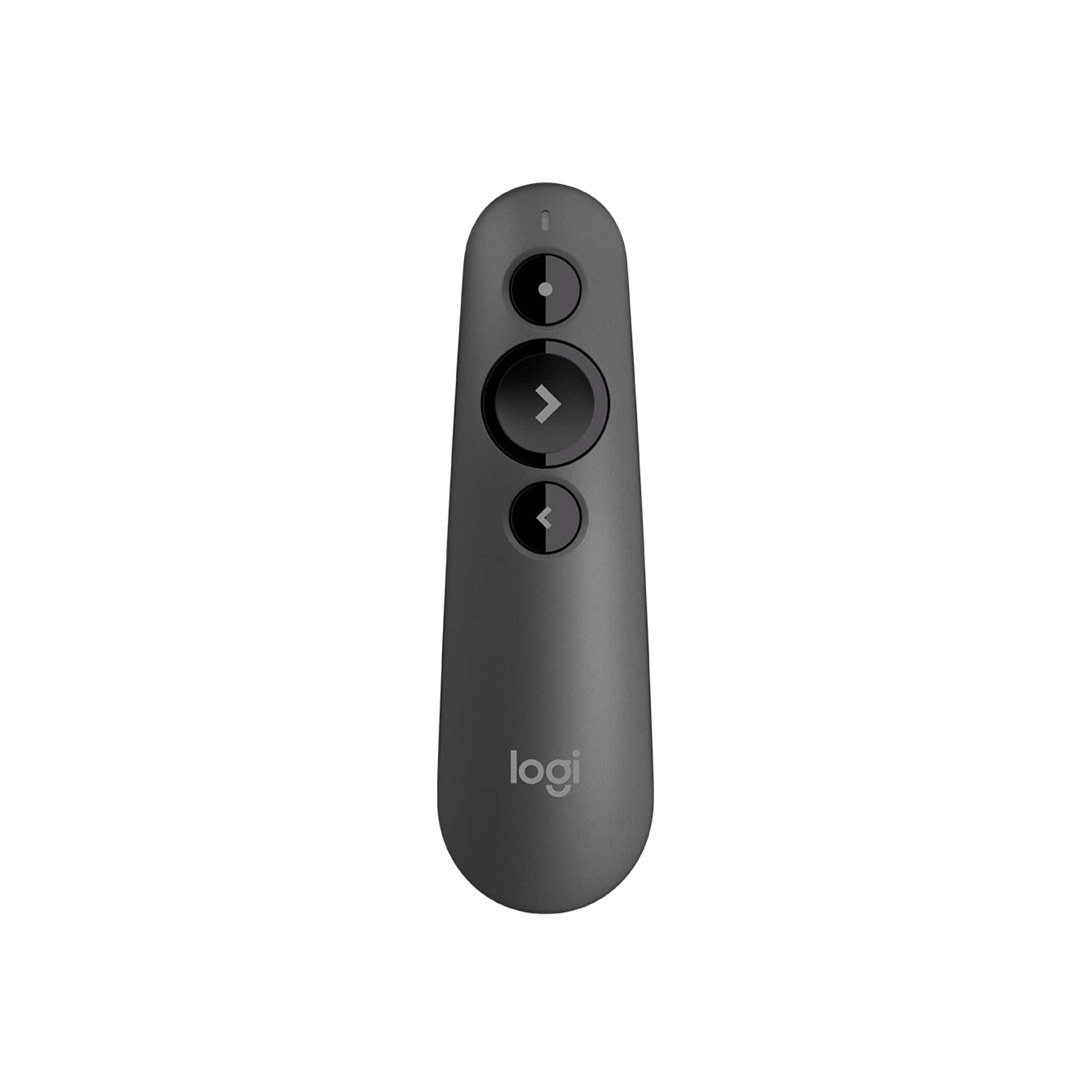
When you first hold the R500s, the difference from budget remotes is immediately apparent. The matte finish provides a secure grip even during long presentations, and the weight distribution feels balanced rather than top-heavy. The buttons have satisfying tactile feedback without being loud – a small detail that matters when you’re the only voice in a quiet room.
The built-in dock for the USB receiver is one of those features you don’t appreciate until you’ve lost a receiver from another remote. I’ve traveled with this remote for three months, and the receiver hasn’t once come loose during transport. For frequent travelers, this eliminates the constant worry of arriving at a venue only to discover you’re missing the crucial connectivity piece.
Performance in Real Use
During a recent conference presentation with over 200 attendees, the R500s demonstrated why range matters. I was able to walk through the audience while maintaining perfect control, something that consistently failed with my previous budget remote. The 20-meter claim holds true, though I noticed slight responsiveness degradation around the 18-meter mark in environments with significant wireless congestion.
The laser pointer provides adequate brightness for most well-lit rooms, though it struggles in exceptionally bright environments. More importantly, the pointer remains stable without the jittery movement that plagues cheaper lasers. During a training session where I needed to highlight specific data points on a complex chart for extended periods, the comfortable laser button and steady beam made the difference between smooth demonstration and frustrating fumbling.
Ease of Use
Out of the box, the R500s works immediately without any software installation. The basic functions are intuitive – forward, back, laser, and black screen. However, the real power emerges when you install the Logitech Presentation App. I initially skipped this step, but after discovering the customization options, it became an essential part of my setup.
Being able to reassign the timer button to jump to a specific slide has saved me multiple times when audience questions required skipping ahead in my deck. The battery monitoring is surprisingly accurate – unlike devices that show sudden drops from 100% to 10%, the R500s provides gradual depletion tracking that lets you plan battery changes proactively.
Durability & Reliability
After three months of near-daily use, including being tossed in bags, surviving accidental drops from lecterns, and enduring temperature changes during travel, the R500s shows minimal wear. The battery door remains secure, the buttons haven’t developed the mushy feeling that affects cheaper remotes, and the USB receiver connection points show no signs of wear.
The smart power management that disables the laser when battery is low initially frustrated me during one presentation, but I’ve come to appreciate it as a better alternative to the laser gradually dimming to uselessness. It forces you to address the battery issue rather than struggling with a barely visible pointer.
Pros & Cons
Pros:
- Exceptional connectivity reliability with dual USB+Bluetooth options eliminates the anxiety of dropouts during important presentations
- Genuinely long battery life that lasts months rather than weeks with regular use
- Professional build quality that withstands travel and daily handling without showing wear
- Useful customization options through the companion app for advanced presentation workflows
- Comfortable ergonomics that prevent hand fatigue during extended presentations
Cons:
- Non-rechargeable battery feels outdated in an era of USB-C everything
- Laser disables when battery low rather than providing warning while maintaining functionality
- App required for customization means basic out-of-box functionality is somewhat limited
- Premium pricing puts it above entry-level options that might suffice for casual users
- No carrying case included for a device at this price point
Comparison & Alternatives
Cheaper Alternative: DinoFire Wireless Presentation Remote ($15-20)
The DinoFire offers basic functionality at about half the price. I’ve used it as a backup remote, and while it gets the job done in small rooms, the limitations become apparent quickly. The range is significantly shorter, battery life measured in weeks rather than months, and build quality feels plasticky. The connectivity is less reliable in wireless-congested environments. Choose this if you present infrequently in small meeting rooms and prioritize budget over reliability.
Premium Alternative: Logitech Spotlight ($80-100)
The Spotlight represents the high end of presentation remotes, featuring a rechargeable battery, touch-sensitive surface, and advanced features like on-screen highlighting. The price is substantially higher, and the learning curve is steeper. During testing, I found the touch surface occasionally too sensitive, causing accidental commands. Choose this if you’re a professional presenter who values advanced features and doesn’t mind the premium price and learning curve.
The R500s occupies the sweet spot between these options, offering professional reliability and build quality without the complexity or cost of the high-end models. For most business presenters and educators, it provides the optimal balance of features, reliability, and price.
Buying Guide / Who Should Buy
Best for beginners: If you’re new to presentation remotes, the R500s offers enough simplicity to start quickly while providing advanced features to grow into. The reliable basic functionality means you won’t be overwhelmed, while the app customization allows you to expand your capabilities as you become more comfortable with remote presentations.
Best for professionals: For those who present regularly, particularly in larger rooms or important settings, the R500s justifies its price through consistent performance. The reliability during crucial presentations, comfortable design for extended use, and battery life that won’t fail during back-to-back sessions make it a worthwhile investment.
Not recommended for: Casual presenters who only use remotes occasionally in small meeting rooms might find better value in budget options. Users who prefer all their devices to feature USB-C charging will be frustrated by the AAA battery design. Those needing advanced features like thumbnails, touchpad control, or gesture-based commands should consider premium alternatives.
FAQ
How long does the battery actually last with regular use?
In my testing with 3-4 presentations per week, the battery lasted approximately four months before the low battery indicator appeared. Logitech’s 12-month claim likely assumes less frequent use, but real-world performance is still impressive compared to remotes requiring monthly battery changes.
Does it work with Google Slides on Chromebooks?
Yes, though connectivity options vary. Chromebooks typically work best with the USB receiver, while Bluetooth connectivity may require additional configuration. I’ve used it successfully with multiple Chromebook models without issues.
What happens when the battery gets low?
The laser pointer automatically disables to preserve battery for slide advancement, which gives you about another week of presentation time before complete failure. This is both a pro and con – it ensures you can finish your presentation, but loses laser functionality when you might still need it.
Is the customization app necessary for basic use?
No, the remote works fully for basic slide control without the app. The app enhances functionality but isn’t required for core presentation needs. I’d estimate 80% of users will be satisfied with out-of-box functionality.
How does it compare to the previous R400 model?
The R500s adds Bluetooth connectivity, improved battery life, and the companion app customization. The core functionality remains similar, but the additional connectivity options and customization justify the upgrade for users needing those features.



 1688商品